

What is YAPCO?
YAPCO (Yet Another Planner Creator) turns a planner template into a complete, dated, print-ready planner in A4 (210 × 297 mm) or A5 (148 × 210 mm). It lays out hundreds of pages for two-sided printing, with mirrored margins for the binding, in Polish or English. You print it blank on your own printer, fill it in by hand and keep it in a ring binder or a booklet.
What you can do
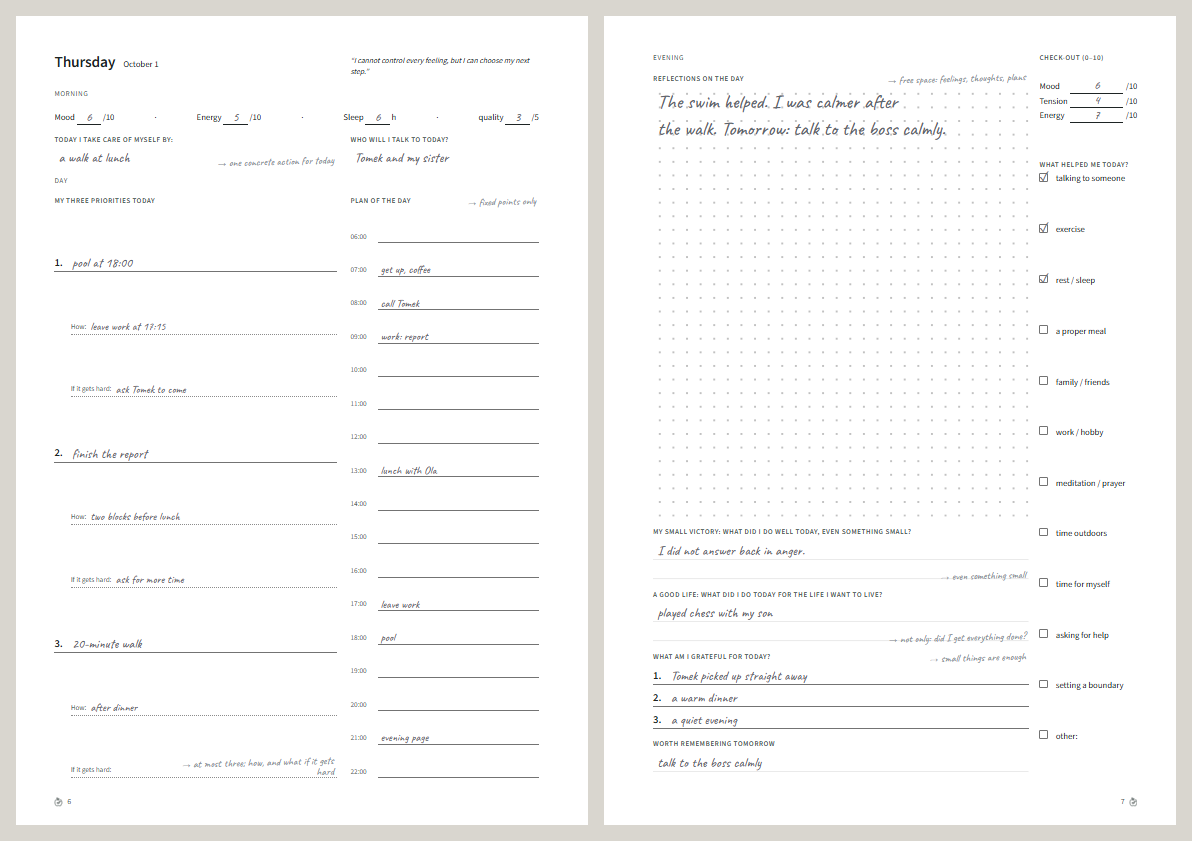
Section titled “What you can do”- Generate a whole planner. Pick a template, edition, format, language, start date and length. YAPCO lays out every month, week and day: 500+ pages for six months.
- Choose what goes in. Editions are ready-made sets of modules; switch any module on or off for one planner.
- Design visually. A three-panel designer: the page structure, a real-size canvas with the binding margins, and a properties panel.
- Work in two languages. Every text has Polish and English side by side, including gendered Polish wording (wdzięczny/a).
- Print at home. PDF for printers with or without two-sided printing, A5 two per A4 sheet, an A5 booklet, a calibration sheet, and one month at a time.
- Explain it. Example filling in grey handwriting, and a printable guide to every page.
- Keep it private. Planners are stored only in your browser. No accounts, no server database, no analytics.
- Use it offline. Install it as an app; after the first visit it works without a connection.
Templates
Section titled “Templates”| Template | For |
|---|---|
| Day by Day (Dzień po Dniu) | A six-month day planner in three editions: Basic, Balance (wellbeing) and Recovery Edition (recovery from addiction). |
| Week by Week (Tydzień po Tygodniu) | A simple weekly planner for 1–12 months. |
See Editions and modules for what each one contains.
Two ways to use it
Section titled “Two ways to use it”- In the browser, on a site that already runs YAPCO (for example your own
planner.example.com). Nothing to install: go to Your first planner. - On your own computer or server. YAPCO is open source (MIT). The easiest way is Docker: one command, and nothing else installed on your system. See Run it on your computer for Docker or Node.js on Windows, Linux and macOS, or Self-hosting for a server.