

Templates
A template is the recipe for a planner: its sections, the page layouts, the blocks on each page and all texts in Polish and English. When you create a planner, YAPCO expands the template for your dates into real pages.
Day by Day (Dzień po Dniu)
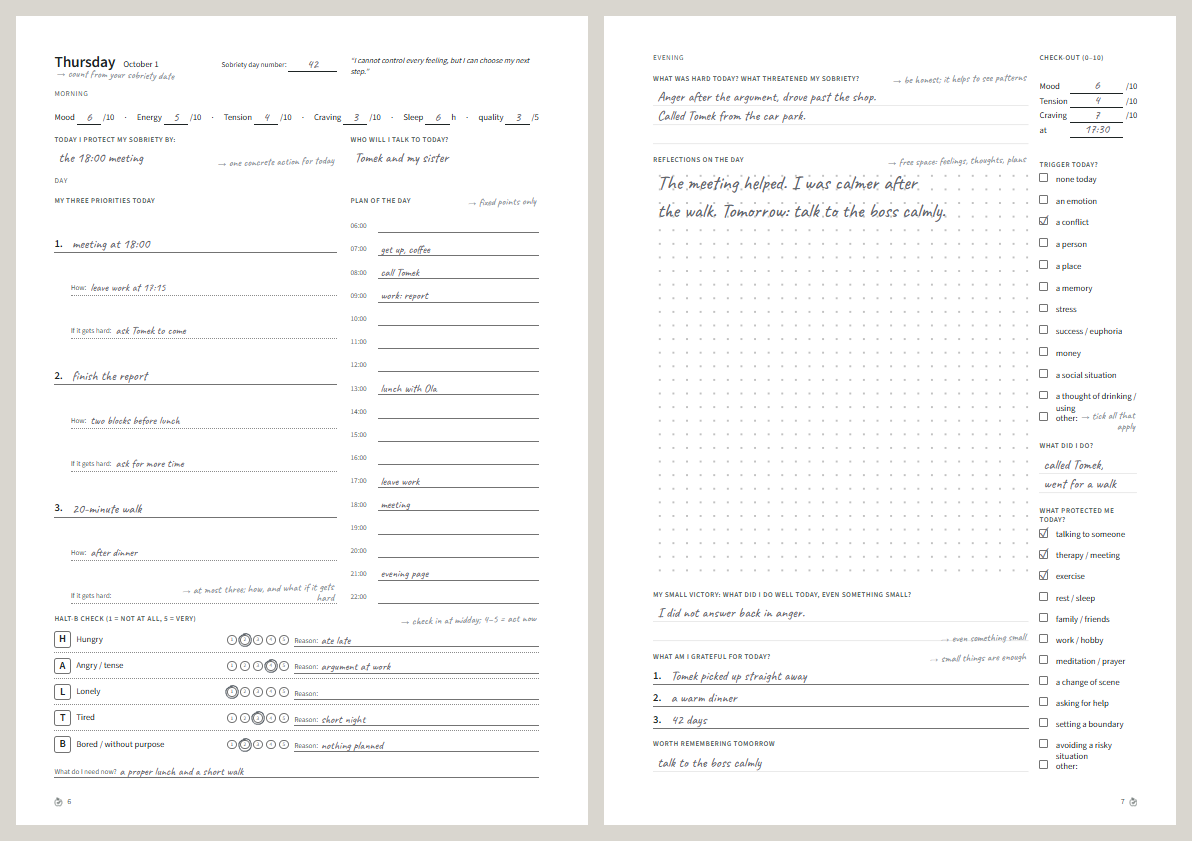
Section titled “Day by Day (Dzień po Dniu)”A day planner for six months (1–12 possible), with a two-page spread for every day, a week spread and review each week, and an opening and a review each month. It has three editions and eight modules, example filling on every page, and a printable guide.
Week by Week (Tydzień po Tygodniu)
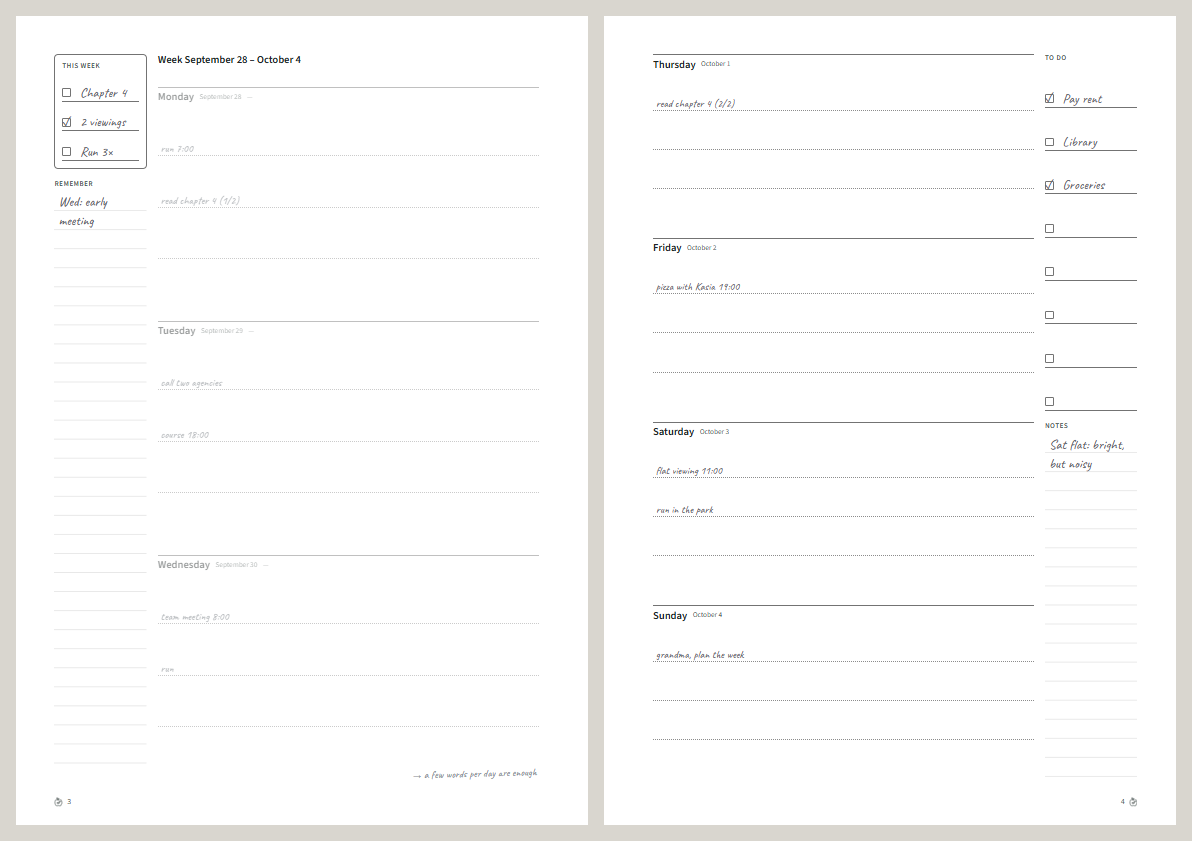
Section titled “Week by Week (Tydzień po Tygodniu)”A simple weekly planner for 1–12 months (a year by default):
| Section | Pages |
|---|---|
| Introduction | A cover and “My year”: goals, what to remember, notes |
| Each month | A month spread: the calendar and goals on the left; important dates, a to-do list and notes on the right |
| Each week | A week spread: Monday–Wednesday with three priorities and “Remember”; Thursday–Sunday with a to-do list and notes |
| End of each month | A notes page with a 5 mm dot grid |
A week belongs to the month its Monday falls in. It has no modules; it has example filling and its own printable guide (choose Week by Week in the guide’s Template menu).
Your own template
Section titled “Your own template”Change a planner in the designer until you like it, then Export → Save template as JSON. The file holds the layout only: no names, dates or your notes. Importing it (Import JSON… on the dashboard) creates a fresh planner from it; you can share the file with others.
To write a new template in code, see Writing a template.